
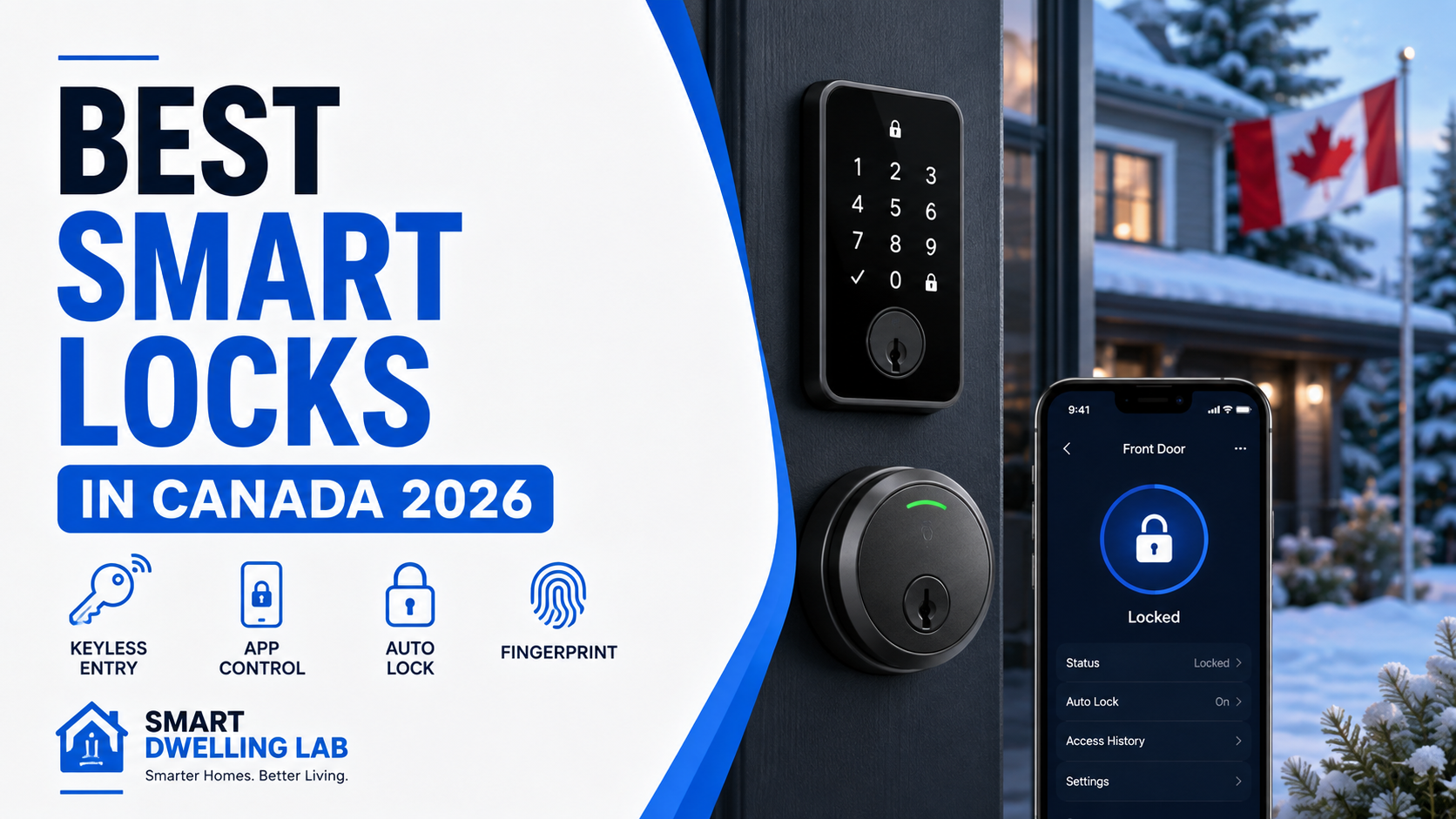
Finding the best smart locks in Canada can make everyday home access more convenient while giving you better control over who can enter your home. However, the right smart lock depends on your existing deadbolt, preferred smart-home platform, access method, installation requirements, and the features you actually need.
In this guide, we compare some of the best smart locks available in Canada for 2026, including options with fingerprint access, Apple Home Key, Matter support, built-in Wi-Fi, and retrofit installation.
Quick Picks: Best Smart Locks in Canada
- Schlage Sense Pro Smart Deadbolt — Best Overall
- Weiser Halo Select — Best for Matter & Smart-Home Compatibility
- Yale Assure Lock 2 Touch with Wi-Fi — Best Fingerprint Smart Lock
- Aqara Smart Lock U200 — Best Retrofit Smart Lock
- Schlage Arrive Smart WiFi Deadbolt — Best Value Pick
1. Schlage Sense Pro Smart Deadbolt — Best Overall
The Schlage Sense Pro Smart Deadbolt is our best overall smart lock for Canadian homeowners who want advanced access features, strong smart-home integration, and flexible ways to unlock their door. It supports traditional access codes along with Apple Home Key, allowing compatible iPhone and Apple Watch users to tap to unlock.
One of its standout features is Ultra Wideband technology, which enables hands-free unlocking by using a paired device to determine when an authorized user is approaching the door. Sense Pro also supports Matter over Thread for smart-home integration and includes built-in Wi-Fi for remote management through the Schlage Home app.
Through the Schlage Home app, homeowners can manage guest access codes, review lock history, adjust auto-lock settings, and control the lock remotely. Schlage also includes a USB-C jumpstart port for temporary power if the batteries are depleted.
- Best for: Homeowners who want a premium, future-focused smart lock
- Why we like it: Apple Home Key, hands-free unlocking, Matter over Thread, built-in Wi-Fi, and flexible access management
- Consider if: You want the latest smart-lock features and are comfortable paying more than for a basic keypad or Wi-Fi lock
2. Weiser Halo Select — Best for Matter & Smart-Home Compatibility
The Weiser Halo Select is a strong choice for homeowners who want flexible smart-home integration without giving up traditional keypad access. It includes built-in Wi-Fi for remote control through the Weiser app and can also use Matter over Thread for integration with compatible smart-home platforms.
Through Wi-Fi, you can remotely lock and unlock the door, create guest access codes, review lock activity, and check whether the door is properly closed. Halo Select works with major platforms including Amazon Alexa, Apple Home, Google Home, and Samsung SmartThings.
The lock supports up to 250 temporary, scheduled, or permanent access codes and also includes features such as Auto-Lock, geofence-based Auto-Unlock, and door-status alerts.
- Best for: Households using multiple smart-home platforms
- Why we like it: Built-in Wi-Fi, Matter over Thread support, up to 250 access codes, and broad ecosystem compatibility
- Consider if: You want to use Matter, since a compatible Matter controller and Thread border router may be required
3. Yale Assure Lock 2 Touch with Wi-Fi — Best Fingerprint Smart Lock
The Yale Assure Lock 2 Touch with Wi-Fi is a great option for homeowners who want fast biometric entry combined with familiar smart-lock features. Its fingerprint reader lets authorized users unlock the door with a touch, while built-in Wi-Fi enables remote access through the Yale Access app.
The app can be used to lock and unlock the door remotely, share access with family or guests, and monitor activity. Yale also includes Auto-Lock with DoorSense, which can help determine whether the door is actually closed before locking.
The Wi-Fi version supports major voice assistants and smart-home platforms, including Apple Home, Google Home, Amazon Alexa, and Samsung SmartThings.
- Best for: Families who want convenient fingerprint entry
- Why we like it: Fingerprint access, built-in Wi-Fi, DoorSense, remote management, and broad smart-home support
- Consider if: Fingerprint access is more important to you than Matter or a retrofit-style installation
4. Aqara Smart Lock U200 — Best Retrofit Smart Lock
The Aqara Smart Lock U200 stands out because it can upgrade many existing deadbolts without requiring you to replace the exterior portion of the lock. This makes it an appealing option for homeowners or renters who want smart-lock features while keeping the outside of the door looking relatively unchanged.
The U200 supports Matter over Thread and offers several ways to unlock the door, including fingerprint recognition, PIN codes, NFC, Apple Home Key, the Aqara Home app, and a mechanical key for backup access.
It also includes automatic locking, temporary guest passwords, a rechargeable battery, and a weather-resistant exterior keypad. Aqara lists compatibility with major smart-home platforms including Apple Home, Google Home, Amazon Alexa, and Samsung SmartThings.
- Best for: People who want to upgrade an existing deadbolt without replacing the exterior lock
- Why we like it: Retrofit installation, fingerprint access, Apple Home Key, Matter over Thread, and multiple unlocking methods
- Consider if: Door and deadbolt compatibility should be checked carefully before purchase
5. Schlage Arrive Smart WiFi Deadbolt — Best Value Pick
The Schlage Arrive Smart WiFi Deadbolt is a straightforward option for homeowners who want dependable smart access without many of the premium features found on higher-end models. It combines a physical push-button keypad with built-in Wi-Fi, allowing remote control without requiring an additional hub.
Through the Schlage Home app, you can remotely lock and unlock the door, create and schedule up to 250 access codes, review lock history, and receive customizable notifications. The lock also works with Amazon Alexa and Google Home for voice control and smart-home routines.
Its backlit all-weather silicone keypad is designed for everyday outdoor use, while battery power allows saved access codes and schedules to continue working during a Wi-Fi or power outage.
- Best for: Buyers who want simple Wi-Fi smart-lock features from an established lock brand
- Why we like it: Built-in Wi-Fi, up to 250 access codes, straightforward keypad access, and Schlage Home app control
- Consider if: You do not need premium features such as fingerprint recognition, Apple Home Key, or Matter over Thread
How We Chose the Best Smart Locks in Canada
We compared smart locks based on the features that matter most for everyday home access, including installation compatibility, unlocking methods, remote access, smart-home integration, guest access, battery operation, security features, and ease of use.
We also considered factors that are particularly important for Canadian households, including cold-weather use, outdoor keypad durability, compatibility with common residential deadbolts, and whether advanced features require additional hubs or smart-home controllers.
What to Look for in a Smart Lock
Check Your Door and Deadbolt Compatibility First
Before buying a smart lock, check your existing door, deadbolt, bore holes, backset, and door thickness.
Even when a smart lock is designed for standard North American doors, compatibility can vary. Measuring your existing hardware before purchasing can help prevent installation problems.
Retrofit models such as the Aqara Smart Lock U200 work differently from full deadbolt replacements because they can retain more of your existing exterior hardware.
Canadian Winter Performance
Cold weather is an important consideration for Canadian homeowners, especially when the exterior keypad or lock body is exposed to freezing temperatures.
Check the manufacturer’s specified operating-temperature range before installing a smart lock outdoors. The interior portion of most battery-powered smart locks should remain protected inside the home.
Battery performance can also be affected by very cold temperatures, so paying attention to low-battery warnings and keeping replacement batteries available is a good idea.
Fingerprint, Keypad, Home Key, or Hands-Free Access
Modern smart locks can offer several different ways to unlock your door.
Fingerprint readers are convenient for households that want fast keyless access, while PIN codes are useful for children, guests, cleaners, or temporary visitors. Apple Home Key can provide tap-to-unlock access from compatible Apple devices, while some newer locks also offer hands-free unlocking.
The best option depends on how the people in your household actually enter the home every day.
Wi-Fi vs. Matter over Thread
Built-in Wi-Fi can make remote access straightforward because the lock can connect directly to your home network without requiring a separate bridge on some models.
Matter over Thread can provide broader smart-home compatibility and efficient local connectivity, but it may require a compatible Matter controller and Thread border router depending on the lock and ecosystem you use.
If you already use Apple Home, Google Home, Amazon Alexa, or Samsung SmartThings, check exactly which features are supported before buying.
Guest Access and Temporary Codes
One of the biggest advantages of a smart lock is the ability to create access for other people without handing out physical keys.
Look for features such as temporary PINs, scheduled access, recurring access, activity history, and the ability to remove a code remotely.
These features can be useful for visiting family members, cleaners, contractors, dog walkers, and short-term guests.
Auto-Lock and Door Status
Auto-lock can help secure the door automatically after you leave, but a smart lock works best when it can also determine whether the door is actually closed.
Some models offer door-status monitoring or sensors that can alert you when the door is left open.
Battery Backup
Most residential smart locks use batteries, so check what happens when the batteries become critically low.
Useful features can include advance low-battery notifications, mechanical key backup, external emergency power, or Bluetooth/keypad operation when Wi-Fi is unavailable.
Installation
Many smart deadbolts are designed for DIY installation using existing door holes, but installation difficulty depends on the door and the lock being replaced.
If the existing deadbolt does not move smoothly, the door is misaligned, or modifications to the door are required, professional installation may be worth considering.
Frequently Asked Questions
Are smart locks safe?
A quality smart lock can provide convenient access control while maintaining the physical security of a residential deadbolt. Security depends on the lock itself, proper installation, account security, and how access codes or connected accounts are managed.
Use strong passwords, enable multi-factor authentication when available, keep firmware updated, and remove guest access when it is no longer needed.
Do smart locks work in Canadian winters?
Many smart locks are designed for outdoor residential use, but cold-weather performance varies by model. Always check the manufacturer’s operating-temperature specifications before choosing a lock for an exposed Canadian entry door.
What happens if a smart lock battery dies?
This depends on the model. Some locks include a physical key, an emergency power connection, or another backup method. Most also provide low-battery warnings before the batteries are completely depleted.
Do I need Wi-Fi for a smart lock?
Not necessarily. Some functions such as keypad, fingerprint, Bluetooth, or local smart-home control may work without Wi-Fi.
However, remote locking, notifications, activity monitoring, and certain integrations may require Wi-Fi or another connected smart-home system.
Is Matter important for a smart lock?
Matter can be useful if you want a lock that integrates with multiple compatible smart-home ecosystems.
However, Matter support should not be the only reason to choose a lock. Installation compatibility, access methods, reliability, app features, and the smart-home devices you already own are also important.
Can I install a smart lock myself?
Many smart locks are designed for DIY installation on compatible doors. Before installation, confirm the door thickness, backset, bore dimensions, and deadbolt alignment.
If the door requires drilling or modification, or if you are unsure about compatibility, a locksmith or qualified installer can help.
Final Verdict
Choosing the best smart lock in Canada depends on your door, smart-home ecosystem, preferred unlocking method, and how much automation you want.
The Schlage Sense Pro Smart Deadbolt is our best overall pick for homeowners who want a premium combination of Apple Home Key, hands-free access, Matter over Thread, Wi-Fi connectivity, and flexible access management.
The Weiser Halo Select is an excellent choice for households that prioritize Matter and broad smart-home compatibility, while the Yale Assure Lock 2 Touch with Wi-Fi stands out for convenient fingerprint access.
For homeowners who want to keep more of their existing door hardware, the Aqara Smart Lock U200 offers an appealing retrofit approach. Buyers who prefer a simpler Wi-Fi keypad lock can consider the Schlage Arrive Smart WiFi Deadbolt.
For broader exterior protection around your driveway, garage, and backyard, see our guide to the best outdoor security cameras in Canada (2026).
If you are also upgrading your front-door security, see our guide to the best video doorbells in Canada.